Sims 4 career outfit cheat –how to customize work attire easily
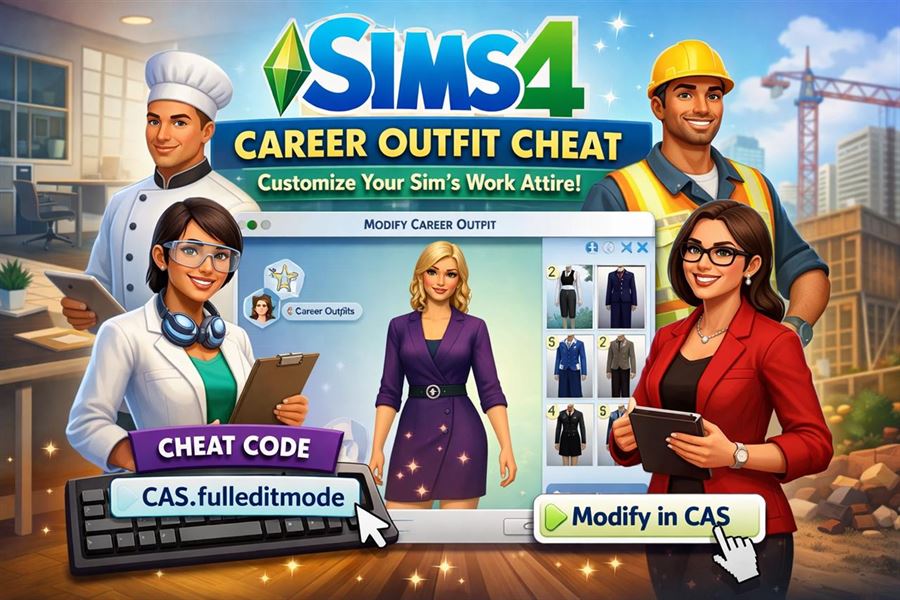
The Sims 4 is an incredibly immersive life simulation game, loved for the detail it offers players in customizing every aspect of their Sims’ lives. One limitation, however, comes in the form of career outfits. Often, players find themselves frustrated when their Sim shows up to work in a dull, mismatched, or simply unsatisfying outfit. Fortunately, there's a simple way around this using cheats. This guide will walk you through how to use the Sims 4 career outfit cheat to take control over your Sim's professional wardrobe.
Why Change Your Sim's Career Outfit?
In The Sims 4, career outfits are automatically generated by the game and linked to the Sim's current job and career level. While this keeps things streamlined, it removes the ability for players to personalize these outfits the same way they can with casual or formal wear. Thankfully, using a simple cheat code, you can override this and style your Sim however you like while keeping their job intact.
Enabling Cheats in The Sims 4
Before you can use the career outfit cheat, you need to enable cheats in the game. Here's how:
- Press Ctrl + Shift + C on your keyboard to open the cheat console. For Mac users, use Command + Shift + C.
- Type testingcheats true into the console and press Enter. This will activate cheat mode.
Once cheats are enabled, you're ready to change your Sim's career attire.
Using the Career Outfit Cheat
Step-by-Step Instructions
- Make sure the Sim you want to change is currently active in your household.
- Open the cheat console again if it's not already open.
- Type the following command: cas.fulleditmode and press Enter.
- Hold Shift and click on the Sim.
- Select Modify in CAS from the UI menu that appears.
This takes you into Create-a-Sim mode with full editing capabilities, which includes access to career outfits.
Selecting the Career Outfit Category
Once inside CAS, follow these steps to adjust the career outfit:
- Click the outfit categories at the top of the screen.
- Select “Career” from the list on the left-hand side, where the outfit types are categorized (e.g., Everyday, Formal, etc.).
- You can now change your Sim’s work outfit using any item available in CAS.
How to Ensure the Changes Stick
To make sure your changes are saved and your Sim wears their new career outfit to work, follow these tips:
- After editing, be sure to save your changes before exiting CAS.
- Avoid switching careers immediately after editing, as some career changes will auto-generate a new outfit.
- If the game reverts to an original career outfit, you can reapply the cheat process again.
Extra Tips and Tricks
Restore Default Career Outfit
If you ever want to go back to the original outfit, you can reset your Sim’s career outfit using the same method by re-entering CAS and selecting the default outfit manually, or by removing custom content.
Use Mods for Enhanced Control
There are mods available that allow even greater control over career outfits, including assigning multiple outfits per career level and setting dress codes. Always ensure mods are compatible with your version of the game before installing.
Final Thoughts
Using the career outfit cheat in Sims 4 opens the door to more realistic and personally tailored gameplay. Whether you want your Sim to reflect a specific work culture, stand out in a fashionable blazer, or simply avoid disastrous combinations, this cheat puts you back in control of your Sim’s work life. For more in-depth tutorials and tips, visit the full Sims 4 career outfit cheat guide on Sims4Life.gg.